UltraGXBeta
Download
Continuity engine for GeneXus

Your GeneXus Knowledge Base, explained in an open format.

UltraGX opens a KB from GeneXus 7.5 to 18, understands what every object does, and writes it down as Markdown and JSON: rules, data model, flows and dependencies, ready for your team, any LLM, or a rebuild in another stack.

Windows, Linux and macOS · unsigned builds during the beta · read-only: your KB is never modified
517objects of a real KB exported and typed in 7 s
100 %of object types resolved on every source
7.5 → 18GeneXus versions read: 7.5, 8, X Evolution 1–3, 9, 15, 16, 17, 18
4 891objects in the largest GeneXus 17 KB processed, acceptance passed
What UltraGX does

Read, understand, externalize.

01 · READ

Reads any version

02 · UNDERSTAND

Understands deterministically

03 · EXTERNALIZE

Externalizes to an open format

What you get

Every object, one document. Every table, one page.

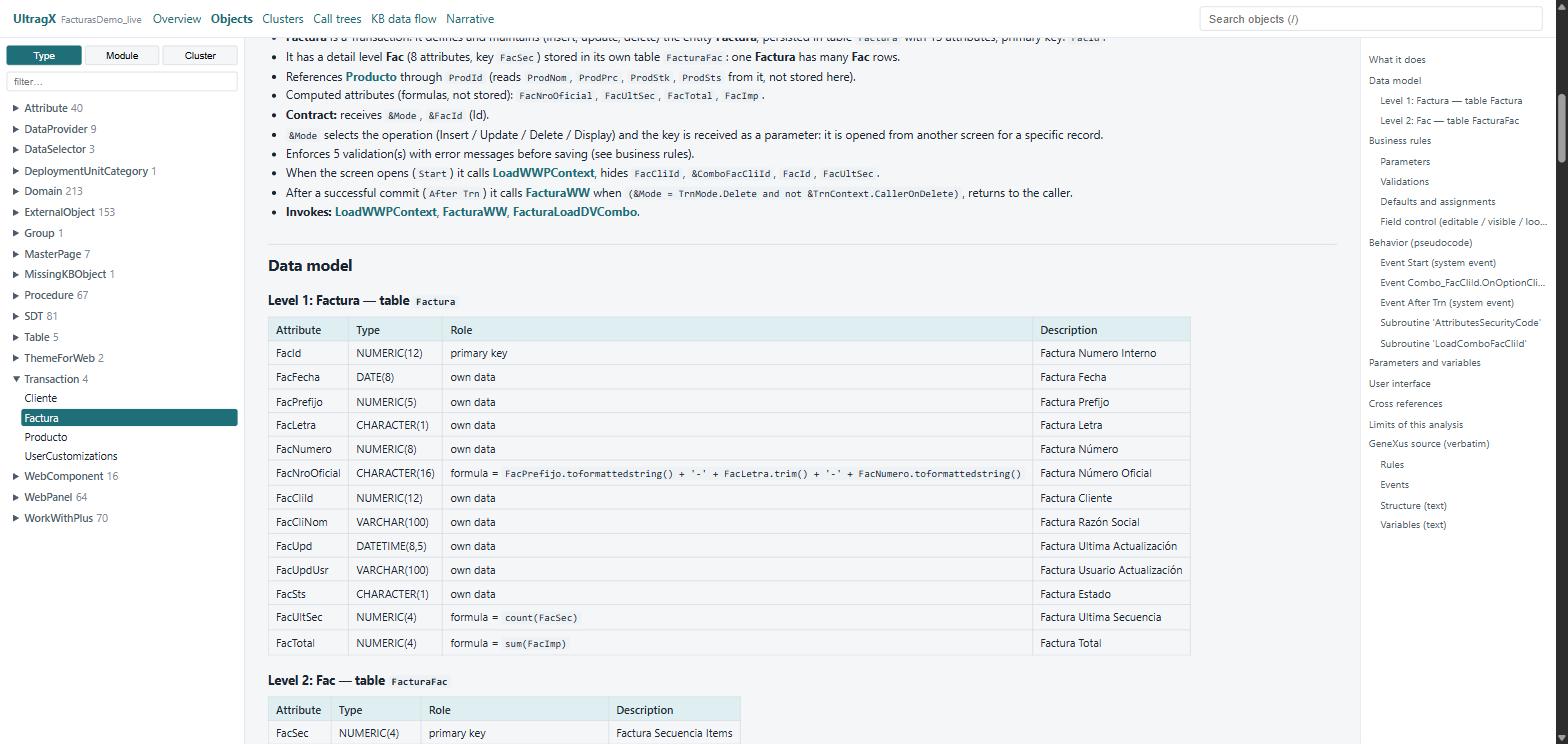
Object document: what it does, data model with formulas, business rules

Object documents

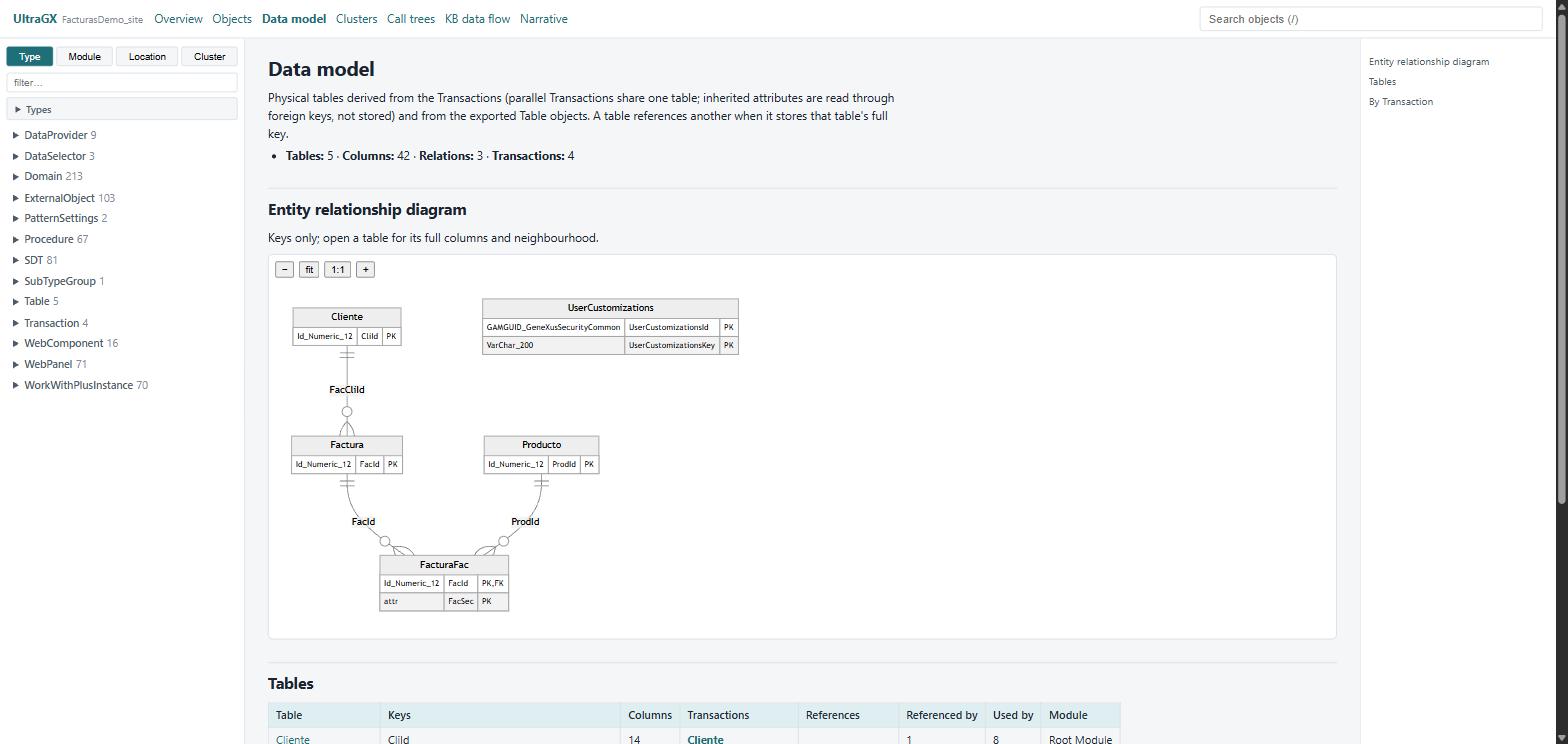
Entity relationship diagram of the whole KB

Complete data model

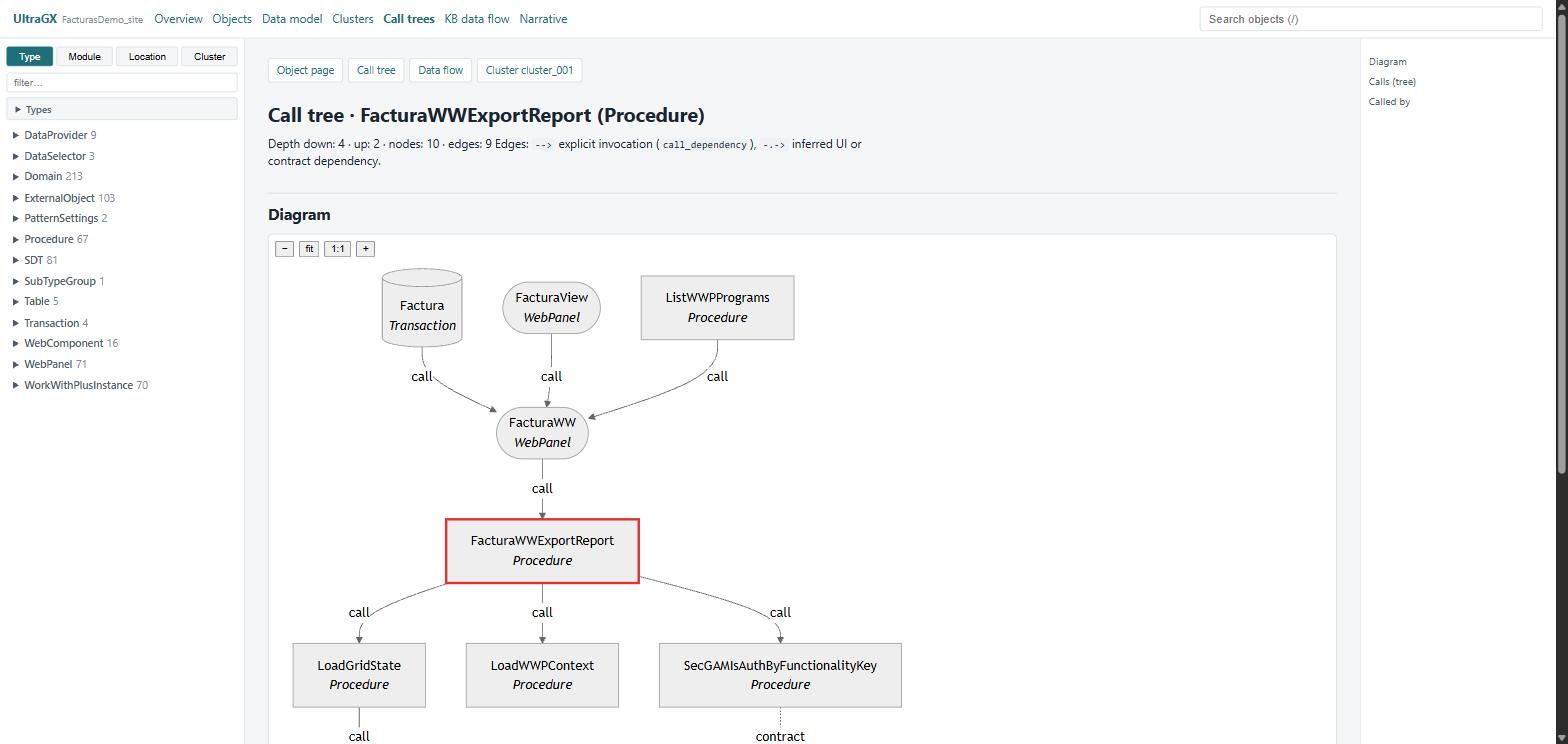
Call tree of a procedure with callers and callees

Clusters and flows

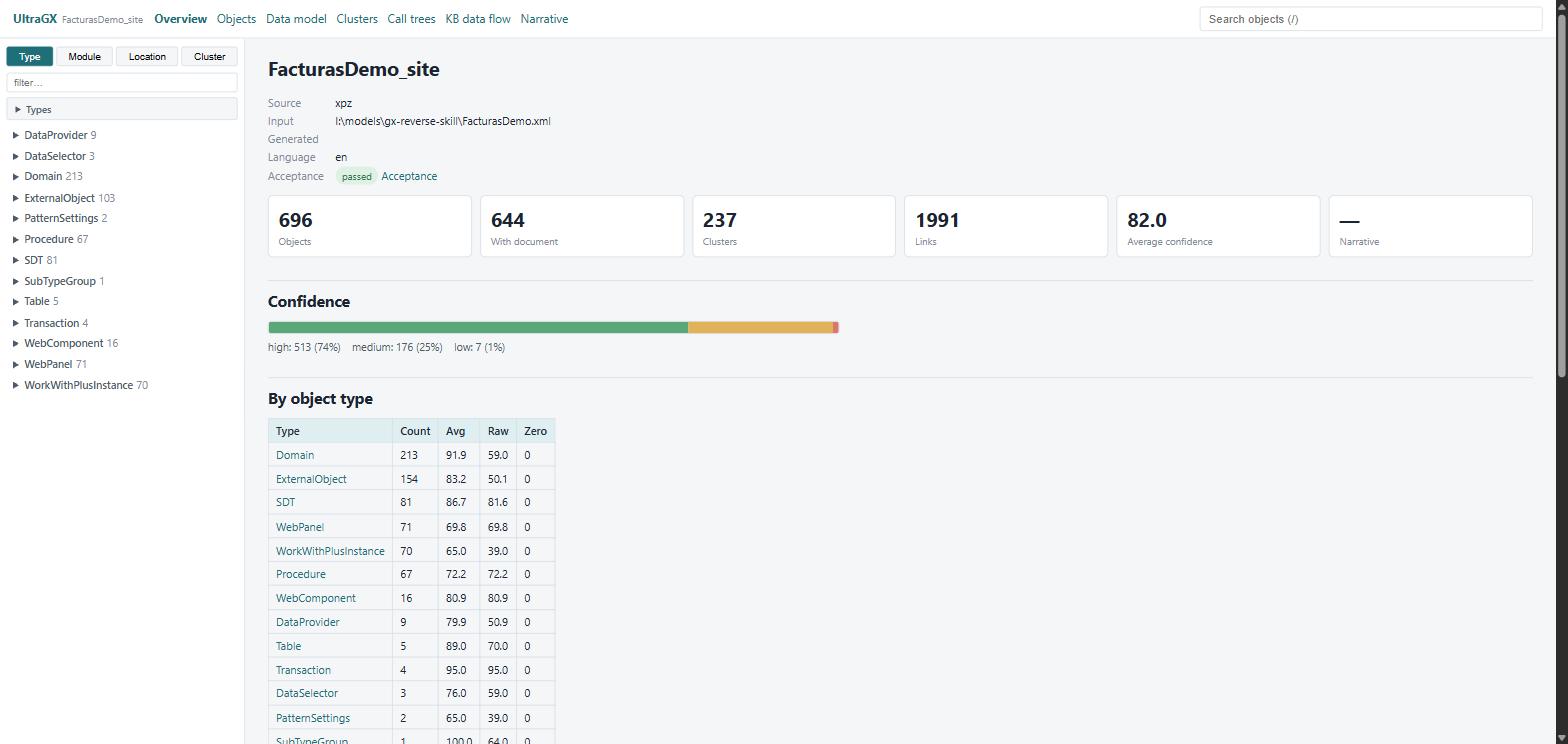
Dashboard of a KB: objects, clusters, links, confidence

Dashboard of the KB

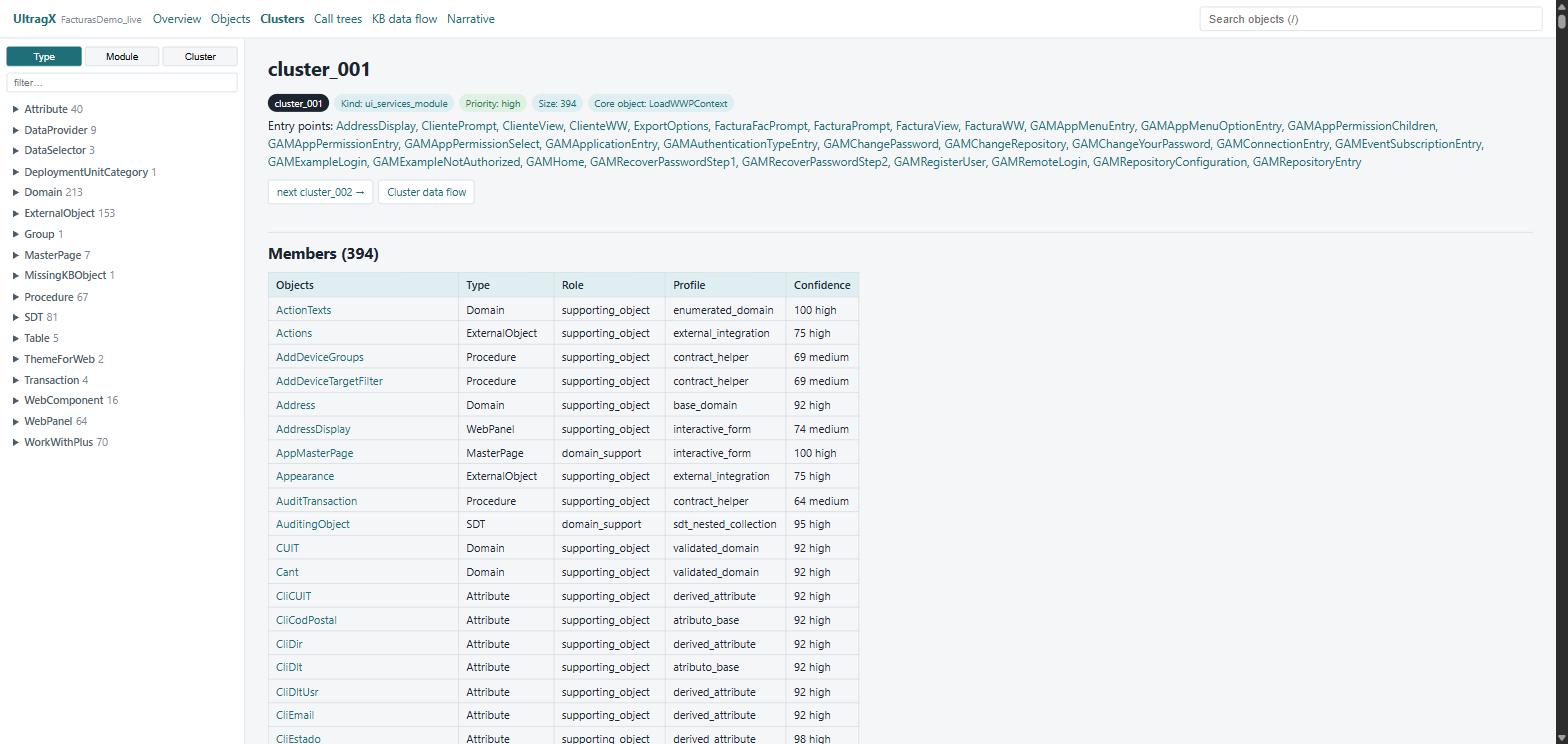
Functional cluster with entry points and members

Narrative you can trust

Migrate

Hand the KB to your AI tooling and leave GeneXus behind.

Claude CodeCodexCursorAntigravityany LLM
01 · CONTEXT

The agent understands the whole system

02 · GENERATE

It writes the migrated application

03 · OWN IT

You keep modifying it, on your own

Consulting

We have migrated Knowledge Bases with thousands of objects. We know how this goes.

Thousandsof objects per Knowledge Base we have taken apart
7.5 → 18GeneXus versions we read, from the IDE or from an old export
Daysto the first assessment, not months of discovery meetings
0changes to your KB: everything we run is read-only
01 · ASSESS

Assessment of your KB

02 · MIGRATE

The migration, with you

03 · HAND OVER

Your team takes it over

Java · .NET · React + TypeScript Español · English · Português On premises · GXserver · legacy exports
How it works

Four steps, no IDE required after the export.

STEP 1

Source

STEP 2

Deterministic engine

STEP 3

Documents and viewer

STEP 4

Narrative (optional)

Editions

Try it on your largest KB. Pay when you want the rest.

DemoFree · 10 daysFullPer company, per KB volume
Download

UltraGX

Start the demo in three steps

No waiting: the demo activates itself. A company email address is required, and the code arrives in a couple of minutes. Any question, write to contact@ultra-gx.com

Questions

Before you install

A Knowledge Base nobody fully understands any more?

Talk to the team