 UltraGX
Reading the result
Each run leaves two things: a web viewer to read and browse, and a folder of files in Markdown and JSON to process, version or hand to an AI agent. Both have the same content.
The viewer
The viewer opens in the application's Viewer tab or with Open in browser. It is a static site stored in viewer/ inside the project: it works offline and can be copied to another machine together with the folder.
The top bar has the main sections and the search box (Search objects (/), keyboard shortcut /), which finds objects by name from any page.
Overview
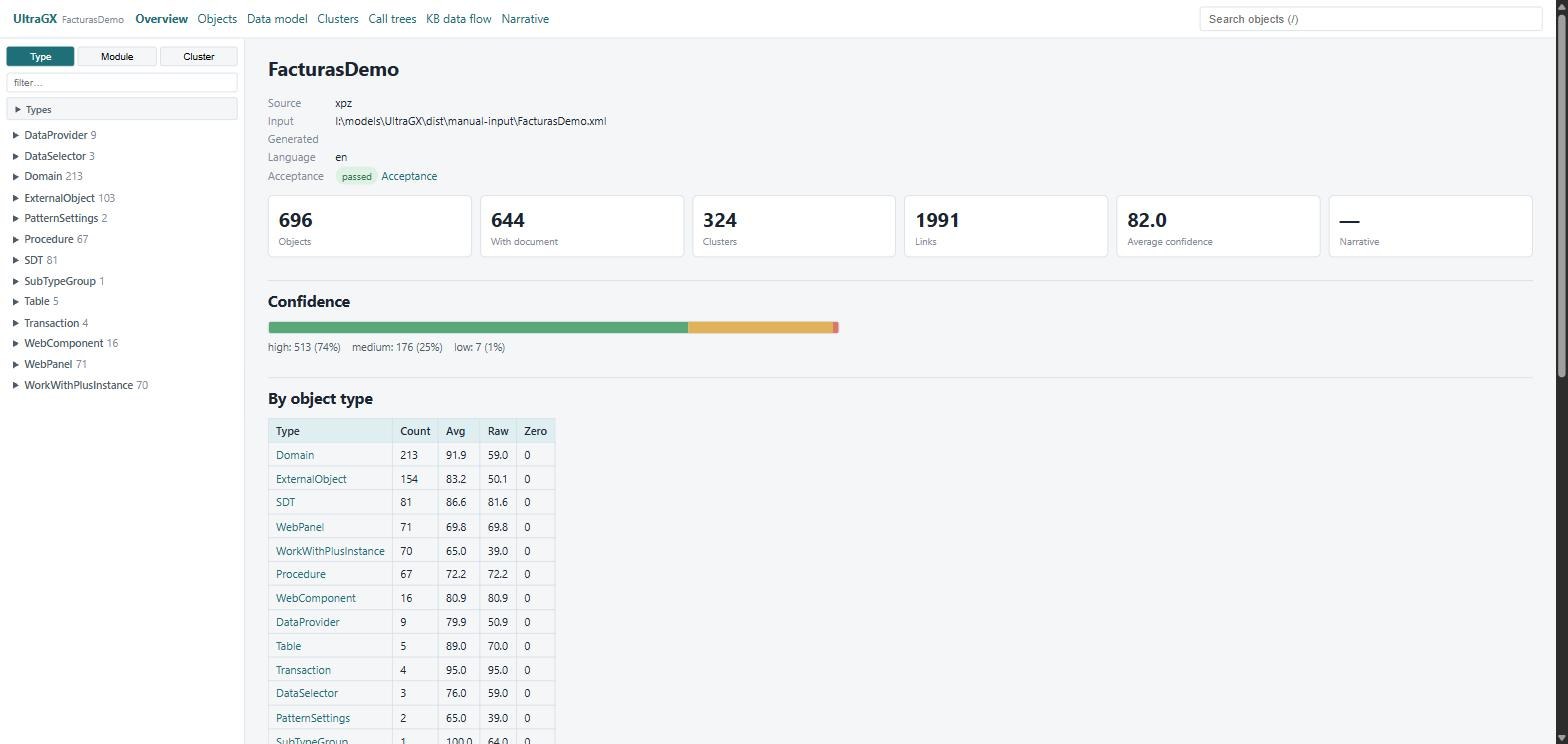
The front page shows where the KB came from (source, input, date, language), the result of the quality check and the overall figures: objects, objects with a document, clusters, links, average confidence and narrative status. Below are the confidence distribution, the table by object type, the largest clusters and the links to the KB reports (summary, rebuild roadmap, validation, acceptance).
Confidence (0 to 100) measures how much evidence the engine found to describe each object: high, medium or low. Low confidence does not mean the object is wrong, only that it has little structure to analyse (for example, an empty procedure or a configuration object).
Objects
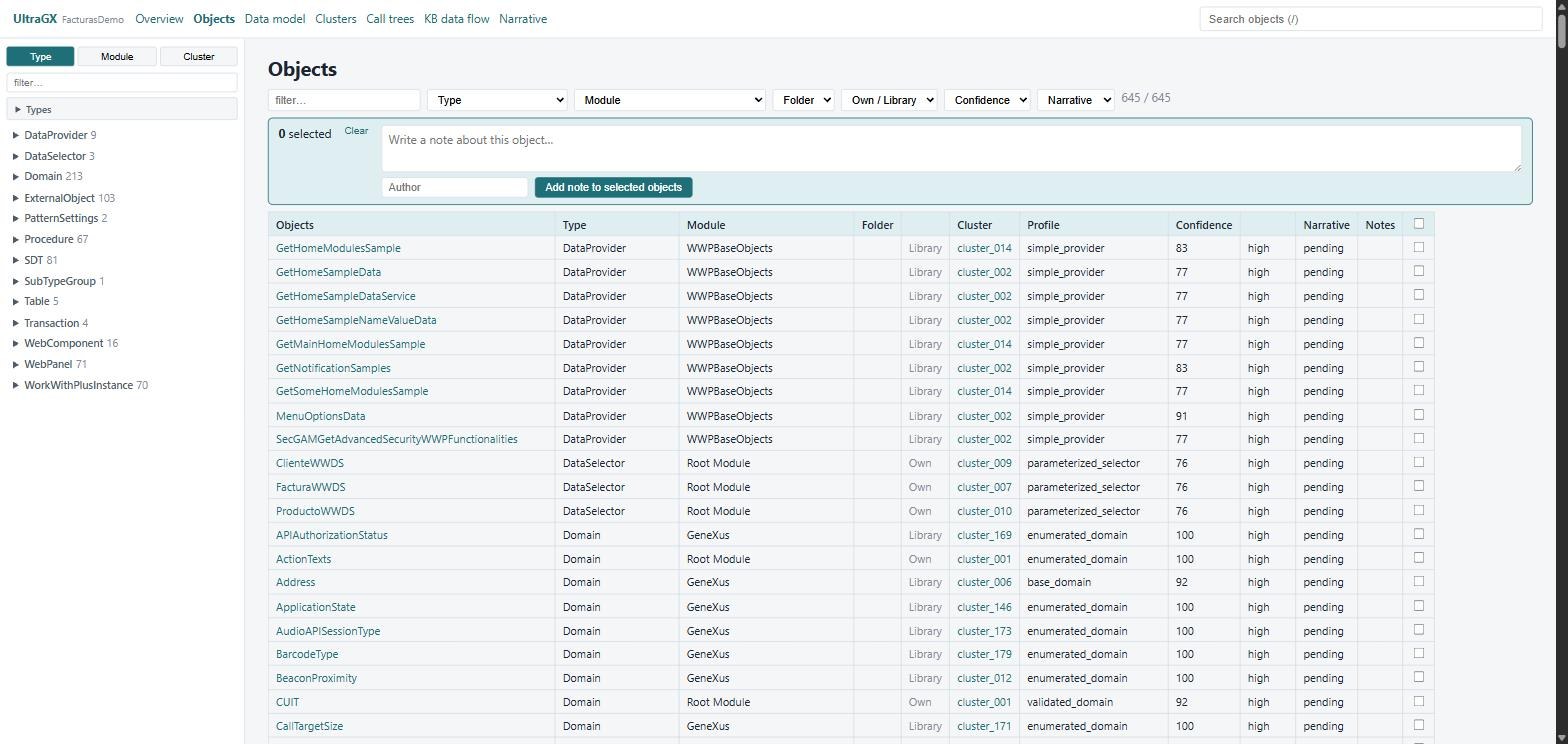
The list of all objects, with filters by text, Type (including the Business objects option, which keeps Transactions, Web Panels, Work Panels, Procedures, Reports, Query Objects and SDTs), Module, Folder, Own / Library, Confidence and Narrative status. Above the list there is a box to add a note to the selected objects (see User notes).
The sidebar, present on every page, groups the objects by Type, Module, Location (the same tree of modules and folders as the GeneXus KB Explorer, when the KB has folders) or Cluster. In Types you choose which types to show and, if the KB has objects from imported modules, Hide library objects leaves them out.
Object page
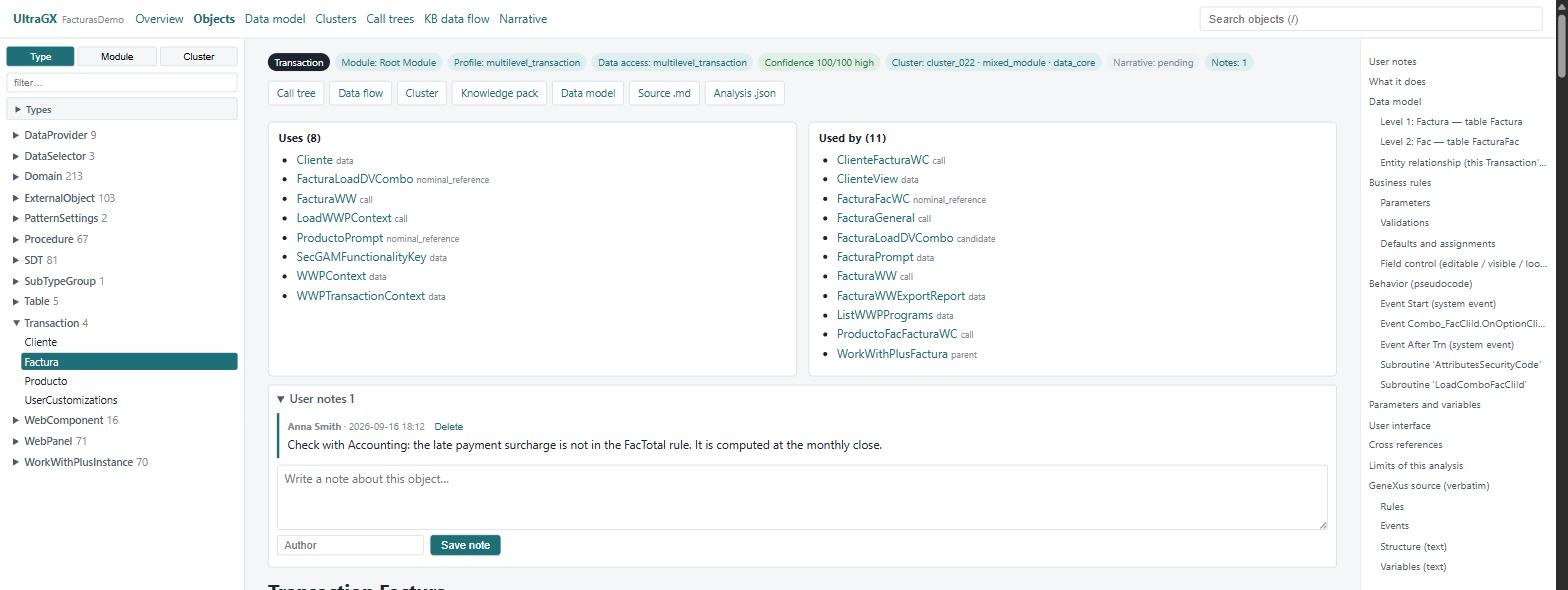
At the top are the object's identity (type, module, folder, cluster, functional profile, data access, confidence), its relationships (Uses and Used by, with links) and the User notes. Then comes the document, with the table of sections on the right:
| Section | What it contains |
|---|---|
| Summary | table with the key facts of the object |
| What it does | prose description of its purpose |
| Data model | (transactions) levels, attributes with their role (key, foreign key, formula, inferred) and entity-relationship diagram |
| Business rules | each rule, explained one by one |
| Behavior (pseudocode) | what each event and subroutine does, in readable pseudocode |
| Implicit SQL (per For each) | the query GeneXus generates for each For each: base table, joins, conditions and order |
| Parameters and variables | the parm rule and the variables with their type |
| User interface | fields, grids and their base table, buttons and actions, dynamic behaviour |
| Business meaning | AI narrative prose, if it was generated |
| Cross references | related objects |
| Limits of this analysis | what the engine could not determine with certainty |
| GeneXus source (verbatim) | the source code exactly as it is in the KB |
At the end, collapsible, is the Deterministic engine annex: the complete technical evidence of the analysis (findings, risks, score, traceability). It is useful for auditing a conclusion; you do not need it to read the object.
Sections vary by type: a Data Provider shows its output, an SDT its structure, a Domain its values, and so on.
Data model
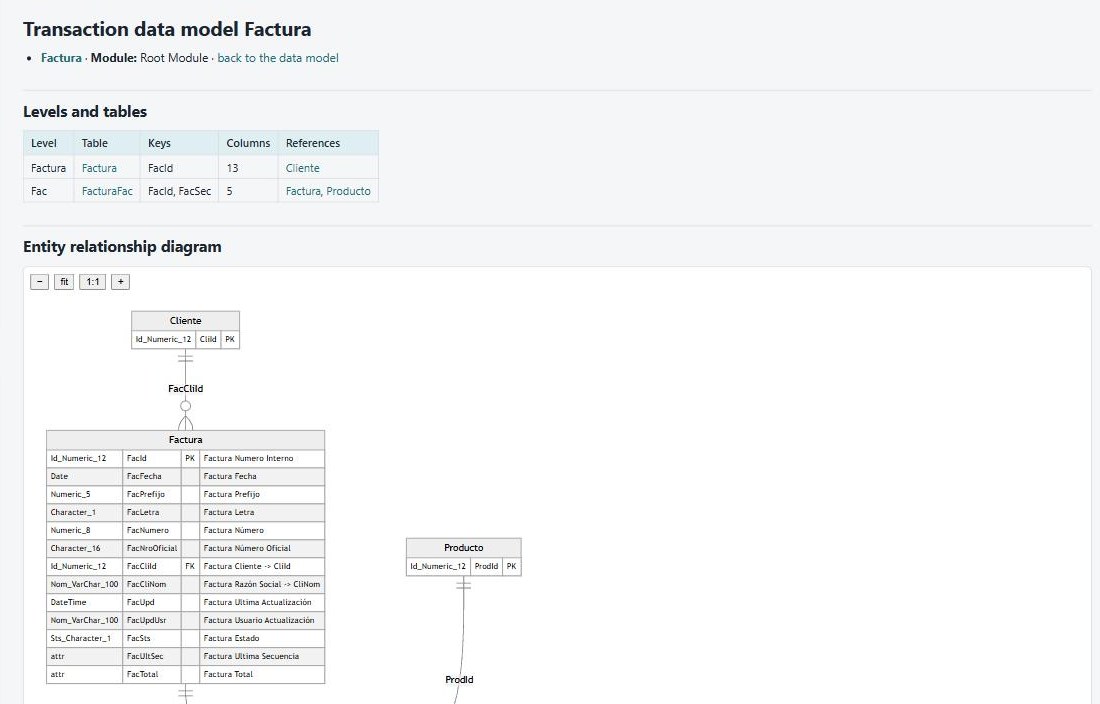
The entity-relationship diagram of the whole KB, the list of tables and the detail per transaction. Each table has its own page with columns (primary and foreign keys), relationships, the transactions that define it, the objects that use it and a conceptual DDL.
Clusters
A cluster is a group of objects that work together (for example, everything related to invoicing). The engine builds them from the dependency graph and the location in the KB. Each cluster has its kind, priority, core object, entry points and members, and three reports: Knowledge (purpose, data, risks), Functional flow (how work passes from one object to another) and Rebuild plan.
The Rebuild roadmap (from the Overview) orders the clusters in phases according to their dependencies: first what depends on nothing, then what builds on that.
Call trees and data flow
- Call trees: from each entry point, who calls whom. The diagram nodes are clickable.
- KB data flow: which objects read and write which tables, for the whole KB, per cluster and per object.
Very large diagrams are not drawn automatically: the Render diagram button appears, and you can also see the text with Diagram source.
Narrative
AI narrative status per object: ok, degraded, error or pending. See AI narrative.
The output folder
Everything the viewer shows is in files inside the project folder:
| Path | Content |
|---|---|
README.md | Entry point: how to use the folder, map, glossary, clusters, tables and complete inventory. Always in English |
run_summary.json | How it was generated: source, input, language, counts, licence, acceptance |
kb_index.json | One row per object: type, module, folder, profile, confidence, cluster and doc_path, the exact path of its document |
kb_graph.json | Dependency graph: incoming and outgoing relationships of each object |
kb_summary.md / .json | KB metrics |
kb_clusters.json, kb_clusters_summary.md | Clusters |
global_rebuild_roadmap.md / .json | Rebuild roadmap by phases |
acceptance_report.md / .json | Final quality check |
objects/ | One <Type>.<Name>.md and one .json per object, in folders that mirror the KB modules and folders |
knowledge/ | Knowledge pack of each object |
datamodel/ | Data model: index, one page per table and per transaction, kb_datamodel.json |
clusters/ | Knowledge, flow and rebuild plan of each cluster |
calltree/, dfd/ | Call trees and data flow diagrams |
narrative/ | AI narrative result, one JSON per object |
annotations/ | User notes |
viewer/ | The viewer. It is regenerated: do not edit it by hand |
_pipeline/, _source_text/ | Internal use: snapshots to detect changes and, with the live source, the text export |
The documents are standard Markdown with Mermaid diagrams: they read well on GitHub, GitLab, VS Code or Obsidian.